
IT and Cyber Security
Cybersecurity planning for South African businesses: protect the people, systems and information your operations depend on.
Cybersecurity protects your organisation’s IT infrastructure, networks, systems and data against cyberattacks, unauthorised access and disruption.
As cyber threats continue to evolve, businesses face increasing risks to their operations, information and continuity. Effective cybersecurity planning helps organisations identify these risks, prioritise protection and prepare for potential incidents.
Well-informed organisations recognise cybersecurity as a critical business issue, not simply an IT responsibility.

Ask most South African business owners what worries them about cybersecurity and you’ll hear two words: ransomware and compliance. Both are real. But a useful security plan doesn’t start with either. It starts with a simpler question: if your team couldn’t get into its email, files or finance system tomorrow morning, what would stop?
For most SMEs the honest answer is orders that don’t go out, invoices that don’t get paid and days spent rebuilding. A good plan connects those consequences to three decisions: what matters most, what is already protecting it, and who acts, and how quickly, when something goes wrong.
A practical cybersecurity framework: People, Process and Technology
SevenC’s vCIO approach assesses and helps implement controls across three connected pillars. This foundation remains useful, with modern identity, detection and response controls built into the wider plan.
1. People
Making every employee aware of their role in preventing and reducing cyber threats. This includes practical awareness training, reporting suspicious activity and responsible use of business information.
2. Process
Clearly defined and documented processes, roles and responsibilities that specify what to do when a threat is suspected. Governance, access approvals, incident response and recovery planning all belong here.
3. Technology
Access controls, antivirus and endpoint detection, next-generation firewalls, DNS filtering, email security, MFA, patching, vulnerability management and managed monitoring and response.
Together, these controls help reduce exposure to organised and opportunistic attacks and common internal mistakes, including phishing and accidentally sharing information with the wrong recipient. No combination of controls eliminates all risk.

Why cybersecurity planning matters
-
The costs of data breaches and operational downtime can be significant.
-
Cyberattacks continue to change in sophistication and methods.
-
Cybercrime creates financial incentives for attackers.
-
Cybersecurity decisions should be treated as business-risk decisions, not isolated IT purchases.
Consequences can include interrupted operations, financial loss, compromised information and reputational damage, even for otherwise resilient organisations.
Where should cybersecurity planning in South Africa begin?
Start with the work your business can’t afford to interrupt, such as taking orders, paying staff and serving clients. Then list the systems, accounts, devices and outside providers each one depends on.
For each system, ask two questions: what does a day without it cost, and how long could you keep going? With limited IT capacity, fixing your three biggest exposures will do more for you than treating every application as equally urgent.
This exercise surfaces the dependencies that are easy to miss: the supplier with remote access to your accounting system, the staff member logging into cloud accounts from a home laptop, the Microsoft 365 mailbox everyone assumes is backed up. Write down who owns each important system and what it would take to restore it.
If you’d rather not start from a blank page, our free environment assessment gives you this picture in writing before you commit to anything. It covers your licensing, your security posture and the reality of your backups.
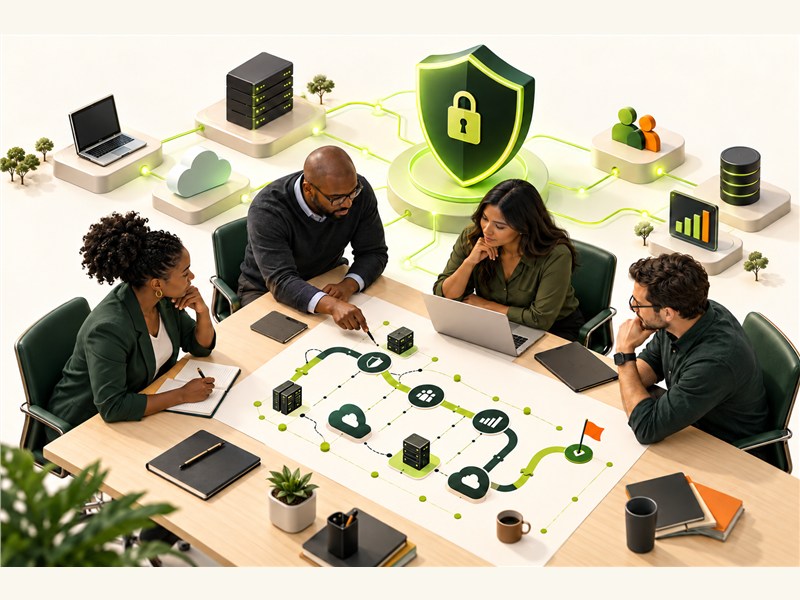
Who is responsible for cybersecurity decisions?
Governance sounds formal, but in practice it means named people. Someone approves the priorities and the budget. Someone manages the day-to-day controls. Every staff member knows what they’re allowed to access, on which devices, and who to call when something looks wrong.
If you work with an external IT partner, be wary of a split where the firewall sits with one vendor, backups with another and Microsoft 365 with a third. When something breaks, that arrangement turns into a debate about whose fault it is while your business waits. We run it the other way: one partner owns every layer, and if the fault sits with someone else’s software, we still fix it. “Not our problem” isn’t a sentence we let our clients hear.
Then write down a handful of policies people will actually follow: how access is approved, acceptable use, remote work, and how to report suspicious activity. Review them alongside your wider business risks. A policy nobody reads won’t help on the day a client’s account is compromised or a key employee leaves without notice.
How will you control access to accounts and information?
Most businesses now run on shared files and cloud tools, so your plan needs to show who can get into each system and what they can do once inside. The rule is simple: give people the access their job needs, and remove anything it doesn’t.
Switch on multi-factor authentication (MFA), which adds a second check on top of the password, such as a code on your phone. Use it for email, administrator accounts, remote access and any system holding client or financial data. It means a stolen password on its own isn’t enough to get in.
Make access part of normal staff admin. Accounts are created when someone joins and switched off the day they leave, contractors and suppliers included. A quarterly review will usually turn up old accounts and permissions nobody remembers granting.

Are your devices and systems being kept secure?
You can’t protect what you haven’t counted. Your plan needs an accurate list of the laptops, phones, servers and software running the business, who manages each one, and whether staff may use personal devices for work.
Basic antivirus blocks threats that are already known, and ransomware doesn’t wait to become known. That’s why we protect client devices with Sophos Intercept X, which watches for suspicious behaviour and can stop it before it spreads. That includes files suddenly being encrypted in bulk, or a legitimate tool being misused. At the edge of your network, Sophos Firewall inspects the traffic coming in and going out, and the two share information so an infected laptop can be cut off automatically. Everything is managed from one console, Sophos Central, so nothing sits in a blind spot.
Patching matters just as much. Know which systems are out of date and fix the exposed and business-critical ones first. If an old application can’t be updated yet, write down why and what is protecting it in the meantime. Every unpatched system is a known weakness that attackers are already scanning for.
What should employees know and report?
Your staff see more attacks than your firewall does, because the attacks are aimed at them: an email asking to change a supplier’s banking details, a sign-in prompt that appears out of nowhere, a delivery link on WhatsApp. Give them short, practical training on the situations they actually face, not a generic annual slideshow.
Then make reporting simple and blame-free. People should know exactly who to call and what to say, even if they’ve already clicked the link. The minutes after a click matter far more than the click itself, and when someone reports a mistake and gets a calm, fast response, everyone learns to speak up early.
One area to watch: staff signing up for AI tools and cloud apps on their own, and pasting company or client information into them. No one in our industry, us included, has a finished answer to this yet. But it belongs in your acceptable-use policy now, and it’s a conversation worth having with your team.
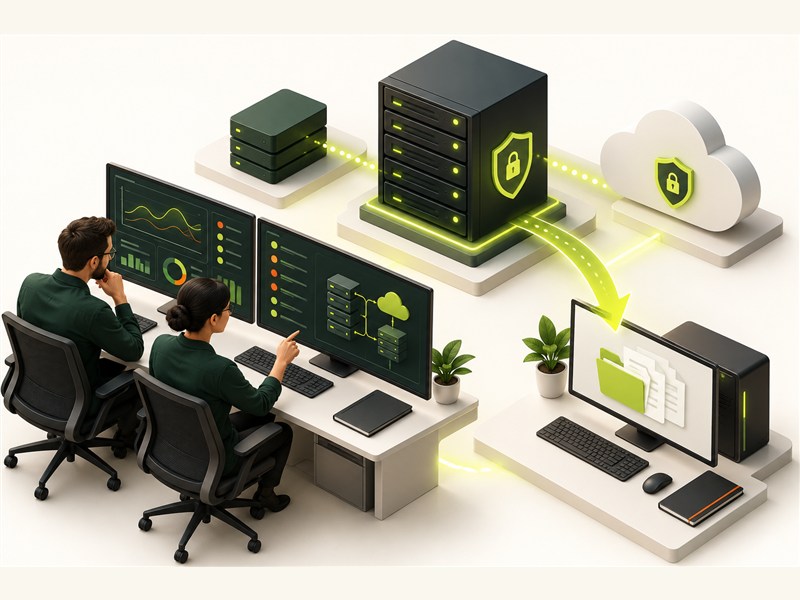
How will you detect and respond to an incident?
No control stops everything, so your plan needs four layers: prevention to block what it can, monitoring to watch for unusual activity, detection to flag what needs investigating, and response to contain the problem and get you working again.
The last two are where most SMEs struggle, especially outside office hours, when attackers know nobody is watching. That’s what managed detection and response (MDR) is for: a team of specialists watching your environment around the clock, investigating anything suspicious and acting to contain it. SevenC is the only Sophos MDR-accredited provider in South Africa. That’s an external accreditation you can check, not a claim we’ve awarded ourselves.
Behind the monitoring sits a response promise you can hold us to: a reply within 30 to 60 minutes, and a technician on-site the next day when the problem needs hands at your office.
Want to know where you stand today? Our free environment assessment gives you a written report on your security posture, licensing and backups before you sign anything. SevenC’s Cyber Security Solutions page explains how we put it into practice.
What happens if a system or account is compromised?
Write your incident response plan before you need it. It should say who gets called first, how a compromised account or device is cut off, and who speaks to clients. Include your IT partner, management and whoever is responsible for client communication and privacy. Keep a printed or offline copy, because a plan that lives on the server that has just been encrypted is no use to anyone.
Then plan for the work that has to continue. A backup only counts if you can restore from it in the time your business needs, and if an attacker can’t delete it first. It’s also worth checking what you’re calling a backup. Microsoft 365’s built-in retention keeps deleted email for up to 30 days; that’s retention, not a backup, and it won’t bring back last quarter’s files.
We don’t call it a backup unless it’s actually a backup. As a Veeam Gold partner, we use Veeam and Sync7 to keep encrypted copies of your data apart from your live systems, and we test restores so you know they work. Our data backup and recovery and disaster recovery planning pages cover this side of continuity in more detail.
After an incident, write down what worked and what needs to change. The point is better decisions next time, not finding someone to blame.
Where do POPIA and other obligations come in?
If your business holds personal information about clients, staff or suppliers, the Protection of Personal Information Act (POPIA) requires you to keep it secure with reasonable technical and organisational measures, and to notify the Information Regulator and the people affected if it is compromised. Take stock of where that information lives and which service providers handle it on your behalf.
Financial services businesses carry further cyber resilience obligations from the Financial Sector Conduct Authority (FSCA), and boards working under King IV/V are expected to oversee technology and information risk. The difficulty is that these obligations arrive as checklists, and a checklist doesn’t tell you which control satisfies which line.
We map each obligation to the specific IT control that meets it, in plain language, so what you sign is something you understand. For the legal interpretation of your particular duties, your legal adviser remains the right call.
How often should you revisit the plan?
Treat it as a working document, not a file in a drawer. Review access whenever people join or leave. Check patching every month. Revisit policies and training when the way you work changes. At least once a year, test your response contacts and do a real restore from backup. It’s the only way to know the process works.
A bigger review makes sense whenever you add a major system, open a new office or expand remote work. If you don’t have a senior technology person in-house, our vCIO service (part-time IT leadership that sits in on your business planning) keeps those decisions tied to where the business is going.
A good security plan isn’t the thickest one. It’s the one you can explain, maintain and test. Built to prevent, and designed to last.
Common types of cyber threats
Ransomware
Malicious software that can block access to files or systems, often through encryption, while attackers demand payment.
Malware
Software designed to gain unauthorised access, disrupt operations or damage a computer or network.
Social engineering
Manipulation intended to trick people into disclosing information, granting access or taking an unsafe action.
Phishing
Fraudulent messages that imitate trusted senders to steal credentials, obtain sensitive data or trigger unsafe actions.
Contact us
Does your business need IT support, IT problems fixed, a quote or new IT strategy? It is all possible with SevenC.
Contact us by completing the form below:



Physical address
Unit 36, Sunninghill Office Park
Peltier Drive
Sunninghill
Johannesburg
South Africa
⟶ Directions
Postal address
SevenC Computing
PO Box 2481
Sunninghill
2157
South Africa
